Enroll In Buildium Paperless Billing
HOW TO ENROLL IN PAPERLESS BILLING SUMMARY — MOBILE
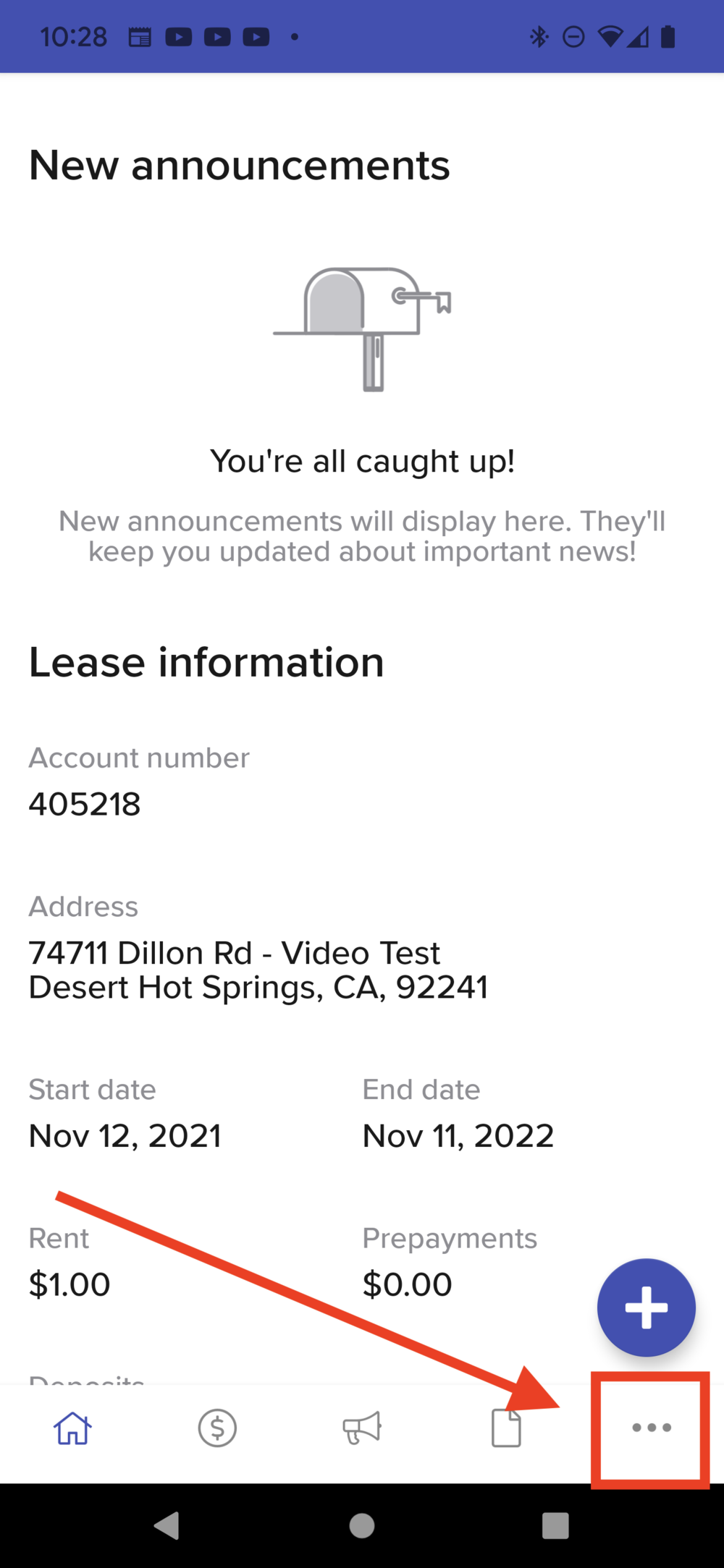
Open the Buildium Resident Center app and tap the three dots in the lower right corner
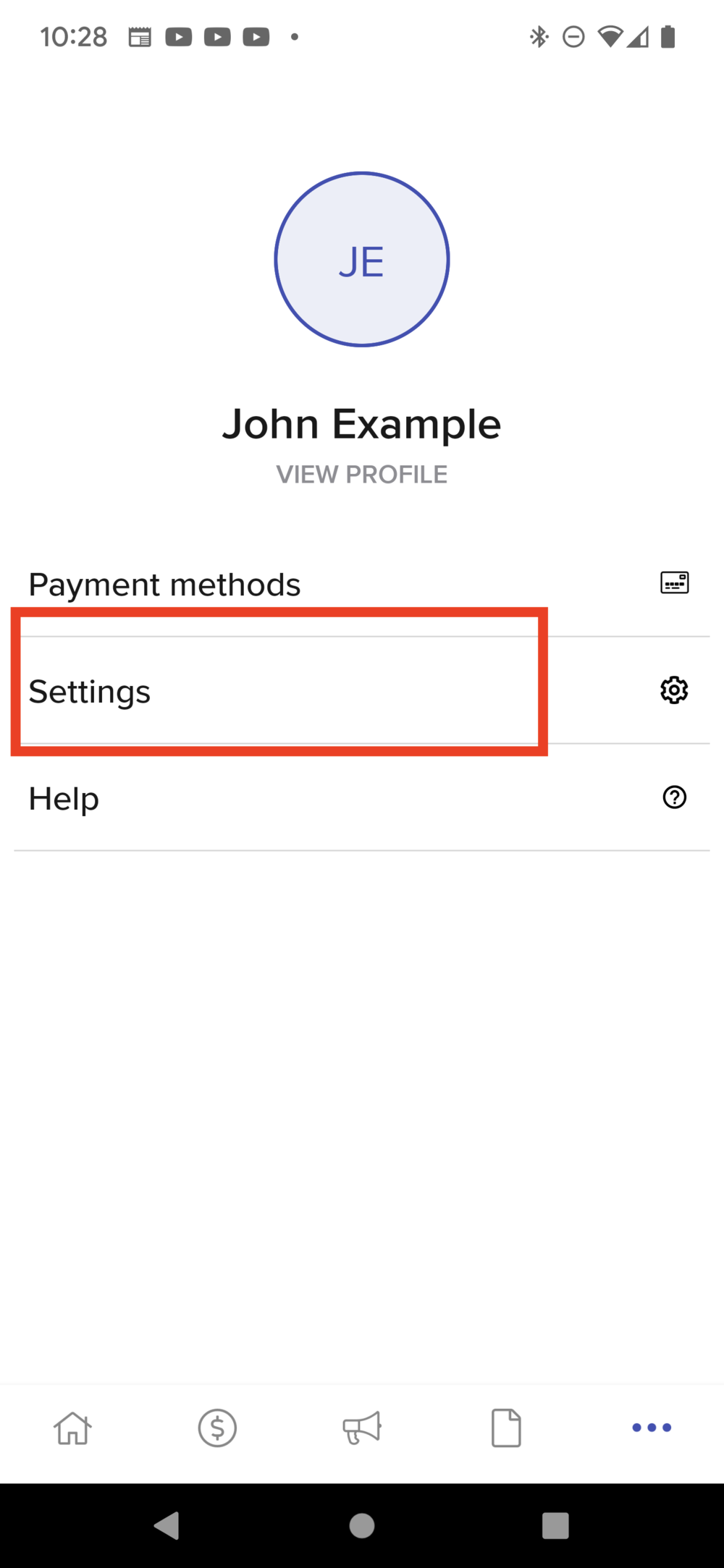
Then select Settings
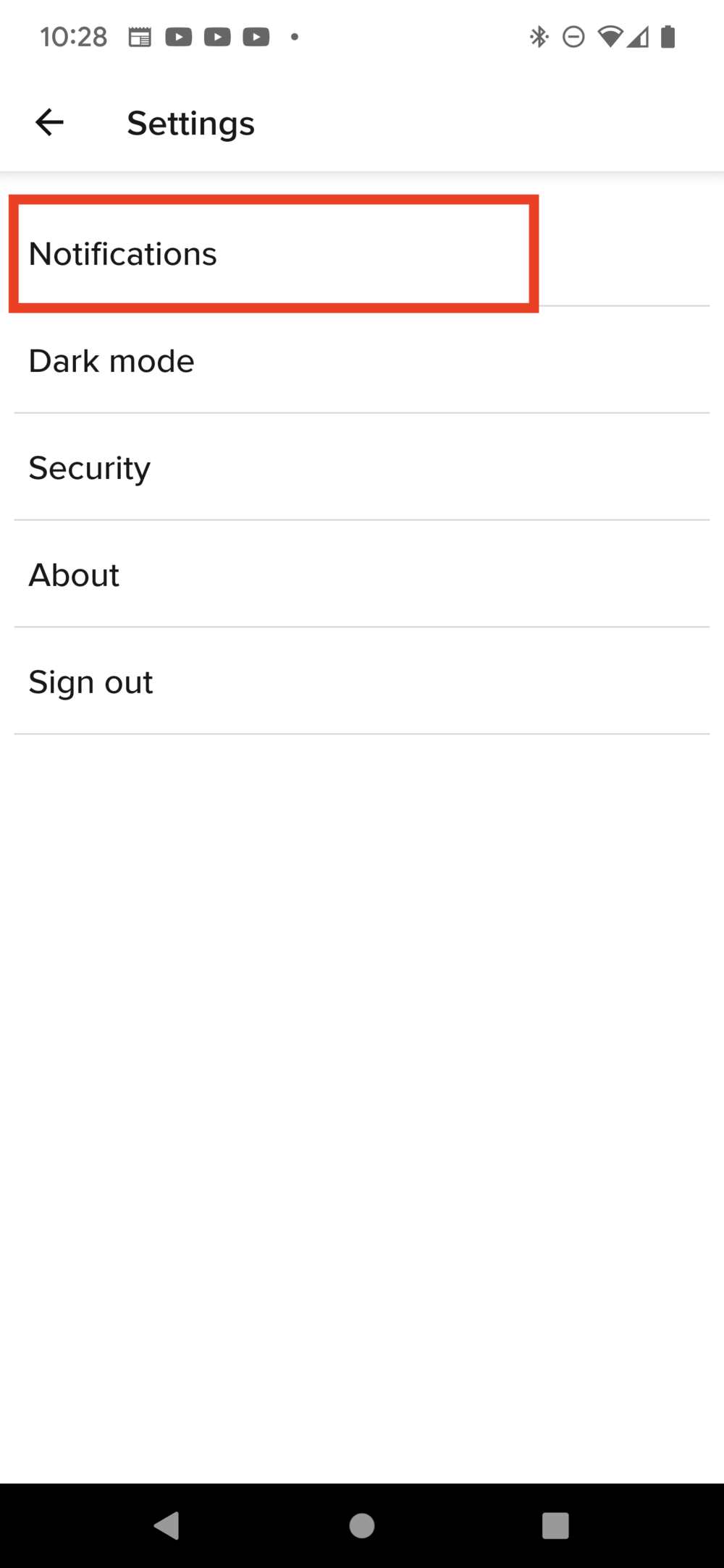
Select Notifications
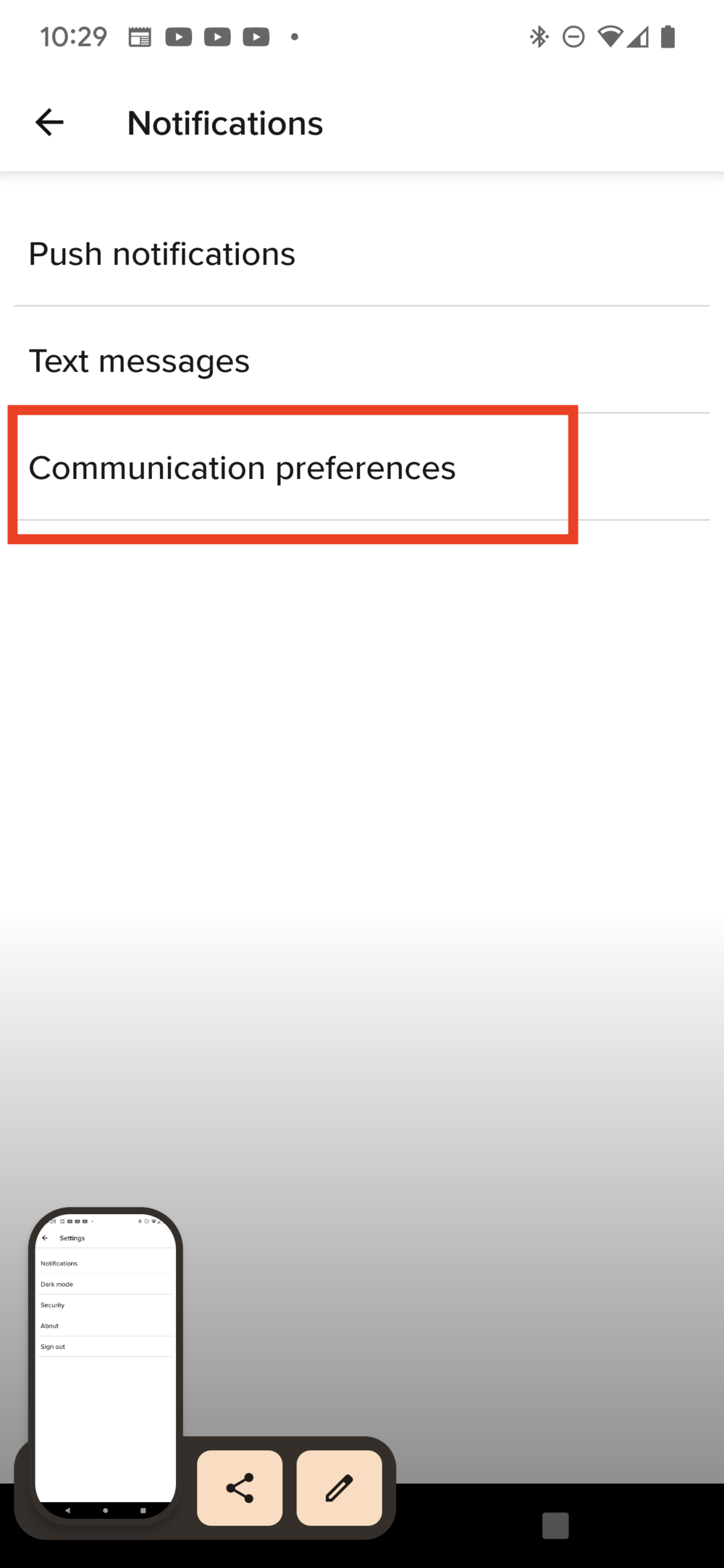
Select Communication preferences
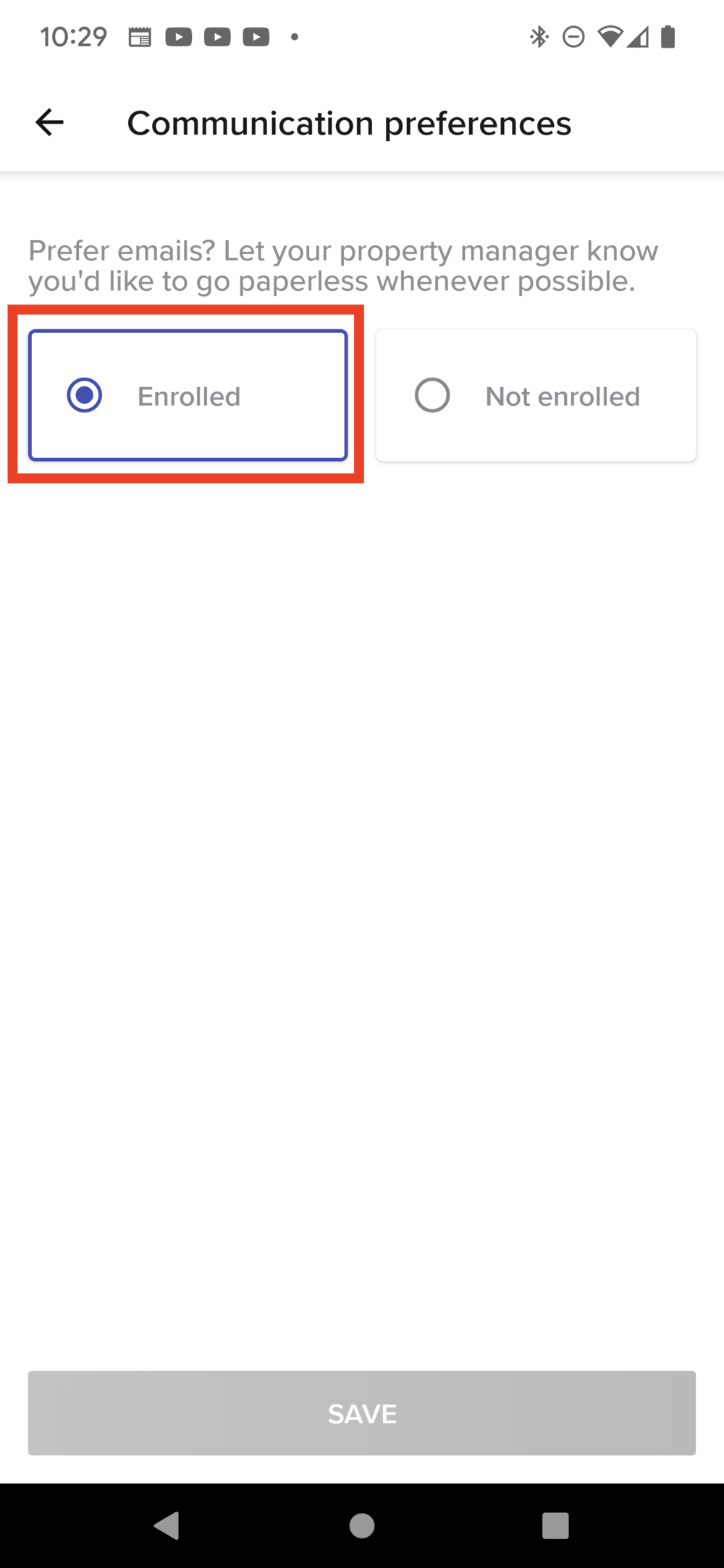
Select Enrolled and then tap Save at the bottom.
Click here to jump to the mobile screenshots
HOW TO ENROLL IN PAPERLESS BILLING SUMMARY — DESKTOP
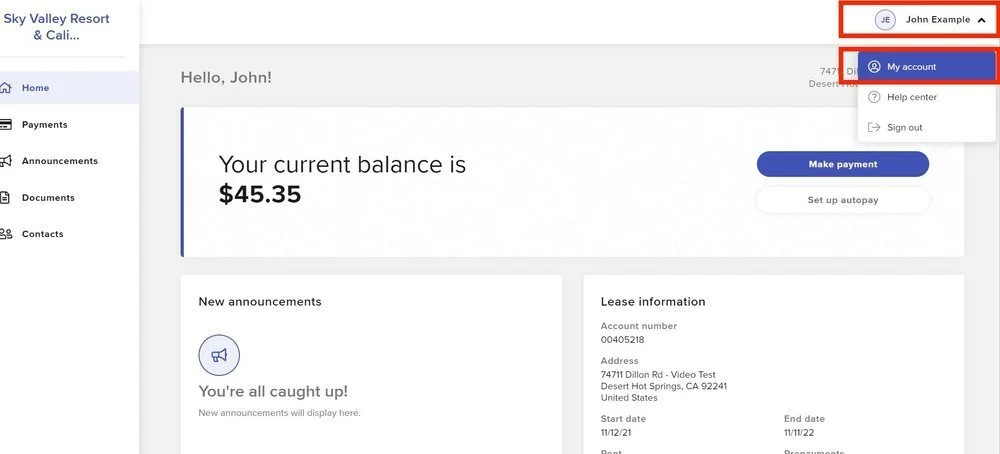
Click your name in the upper right corner and select My Account
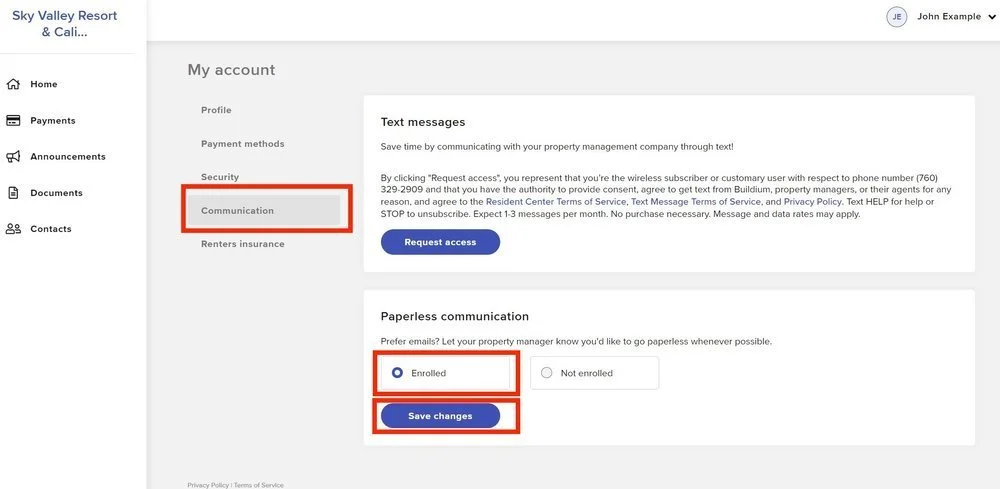
Then select Communication, click Enrolled and then Save Changes.
Click here to jump to the desktop screenshots
Need more help? Contact us here!
Enroll In Paperless Billing — Mobile
Enroll In Paperless Billing — Desktop